 Preview Studio
Your App Store preview, in every language, from one take
Record your app once in the Simulator or on your iPhone. Preview Studio turns that recording into preview videos App Store Connect accepts, in every size Apple asks for, with captions in each language from your String Catalog.
One-time price. Needs macOS 15 or later. The trial does everything, but its files carry a small mark.
For iOS developers who already translate their app and their screenshots
App Store Connect turns preview files down with errors like "Your file couldn't be saved. Try again." When I tested it, the real reason was a variable frame rate, which is what the Simulator records.
When a language has no preview of its own, the App Store shows the main language's. I looked at 49 multilingual apps with a preview, and 20 had no video of their own in a second language.
Three previews for two device families in ten languages is 60 videos, and each one has to pass Apple's checks.
One take in, every file out
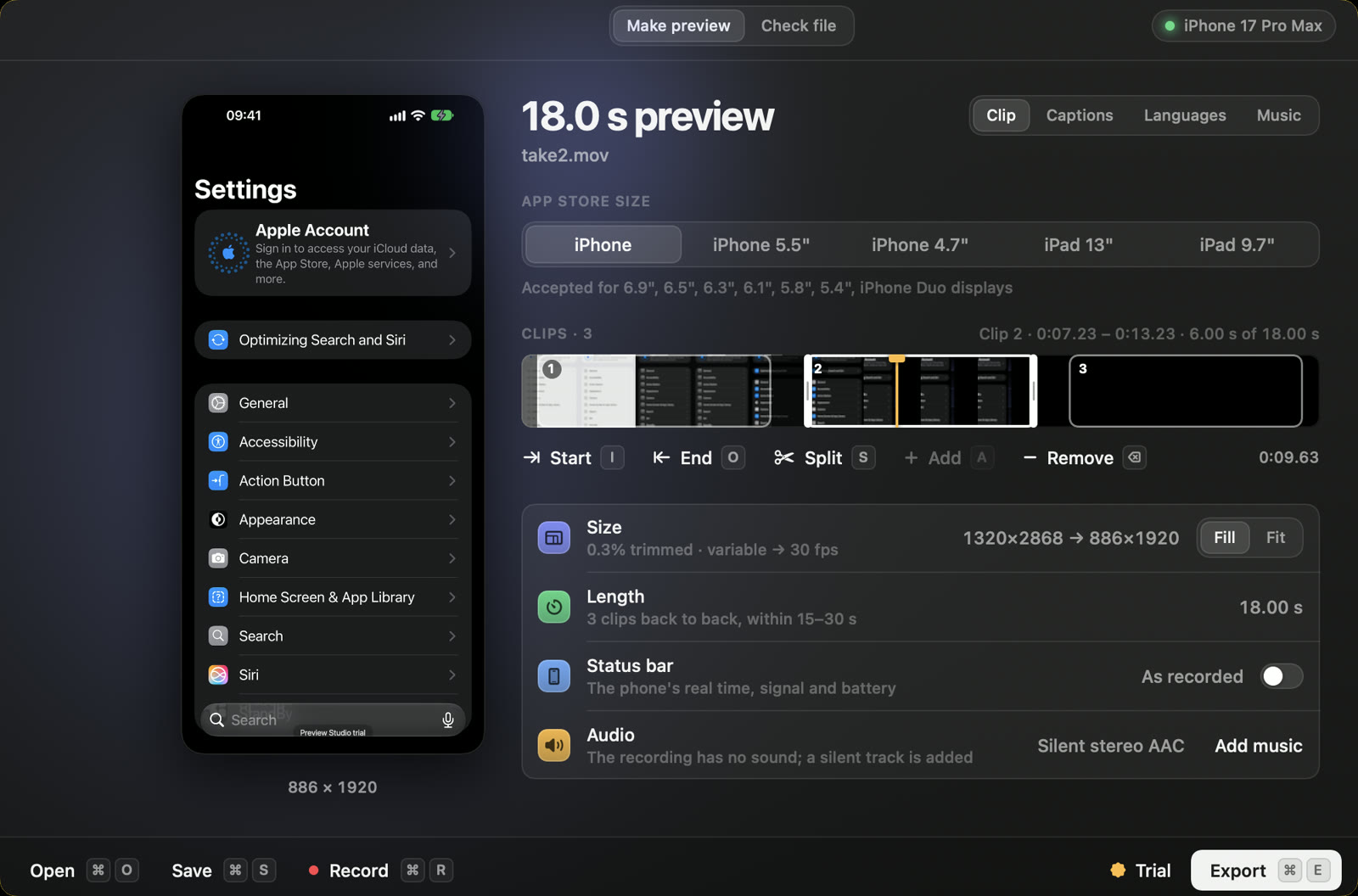
Record in the Simulator from the app, with the status bar set to 9:41, or AirDrop a screen recording from your iPhone. A long take is fine: cut the best moments into clips.
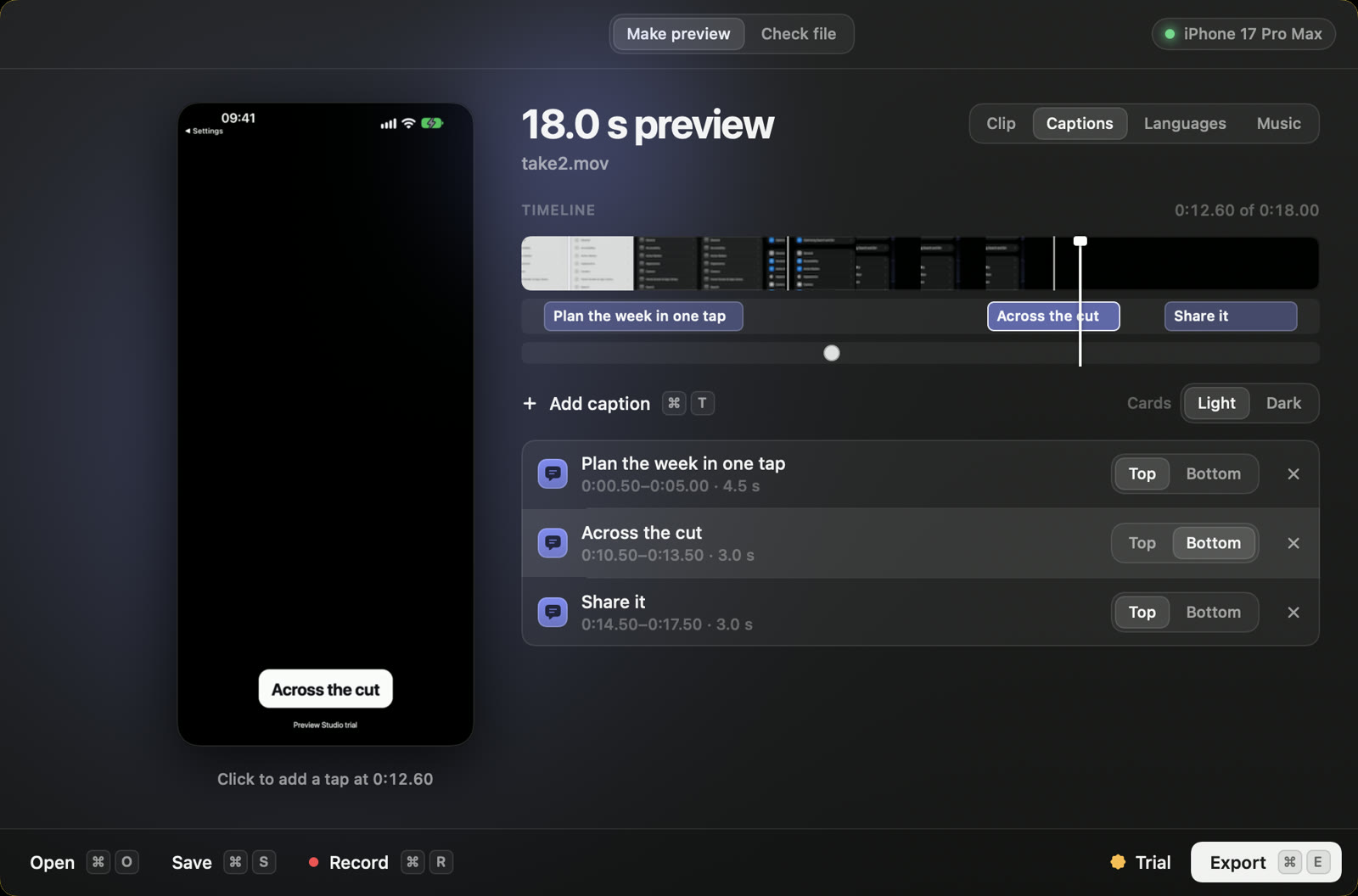
Write captions and drop tap markers on the timeline. Point it at your String Catalog and each language gets its own captions, checked for length and for the time they need to be read.
One click writes every language and every size, named for fastlane deliver if you want. Each file is checked against App Store Connect's rules before you upload it.
Files that go through on the first upload
- The format Apple wants. 886×1920 and the other preview sizes, a constant 30 fps in H.264, stereo AAC. A recording with no sound gets a silent track, because App Store Connect asks for one.
- A clean status bar on iPhone takes. The red recording pill and the real time turn into 9:41.
- A free check for any video. Drop in a file and see what App Store Connect would reject, and why. This works without a license.
- The same engine on the command line. A project file renders the whole set in CI:
apppreview render take1.preview.json --fastlane - Music under the preview, with fades in and out.
I'm Kadir. I make iOS apps, and I built Preview Studio after testing what App Store Connect actually accepts. I uploaded files with the wrong frame rate, length and size on purpose and wrote down every error. The checks in the app come from those uploads.
Questions, or a file App Store Connect won't take: [email protected]
Every feature and every language, on Apple Silicon and Intel Macs, for up to three of your Macs. Updates to 1.x are included. Your license key shows up as soon as you've paid. If it doesn't work for you, write within 14 days for a full refund.
Before you buy
How is it different from the cheap converters on the Mac App Store?
A converter gets one video into the right size. Preview Studio makes the whole set: every language with its own captions, every size, each file checked before upload, and the same run repeatable from the command line.
Does it translate my captions?
No. It uses the translations in your String Catalog or a JSON file, the same ones your app ships with, and tells you which captions are missing in which language.
Can I use a recording from my iPhone?
Yes. AirDrop it to your Mac and open it. It's resized to the App Store size, made a constant 30 fps, and the status bar is cleaned up.
Do I need an account or an internet connection?
No account. Activating your license key needs an internet connection once; after that the app works offline.
What about iPad and Mac previews?
Both work. It writes the iPhone, iPad and Mac sizes App Store Connect asks for.